Security Icon Set 9 for Modern Design
Security Icon Set 9 is a collection of meticulously crafted glyph icons that bring clarity and visual appeal to any design project. Whether you're working on a website, app, or printed material, these icons offer a professional look that enhances user experience and communication. With a focus on internet security, data protection, and digital safety, this set is ideal for designers, developers, and professionals looking to convey trust and reliability through their visuals.
What Makes Security Icon Set 9 Stand Out
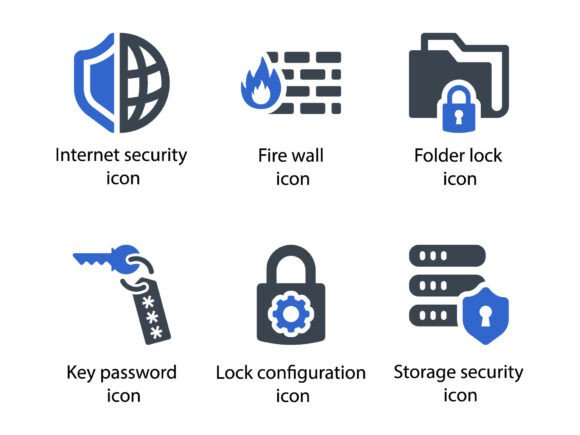
Unlike generic icon sets, Security Icon Set 9 combines functionality with aesthetic appeal. Each icon is designed with precision, ensuring it looks great at any size and in various formats. The set includes popular security-related symbols like firewalls, locked folders, password keys, and more. These icons are not only visually consistent but also highly versatile, making them suitable for a wide range of applications.
The attention to detail in the design process ensures that each icon is both recognizable and unique. This makes Security Icon Set 9 a valuable tool for anyone involved in creating digital or physical content that requires a strong security theme.
Key Features of the Security Icon Set
- Comprehensive Coverage: The set includes icons for internet security, firewall, folder lock, key password, lock configuration, and storage security.
- Multiple File Formats: Access the icons in EPS, SVG, and PNG formats, ensuring compatibility with different design software and platforms.
- Scalable Vector Graphics: SVG files allow for crisp, high-quality images at any size, making them perfect for responsive web design and print materials.
- Consistent Style: All icons follow a unified design language, ensuring they work well together in any project.
Practical Applications Across Industries
Security Icon Set 9 is not limited to one specific use case. Its flexibility allows it to be used in various environments, from personal projects to large-scale commercial designs. Here are some real-world examples of how this icon set can be applied:
- Website Development: Use the icons to highlight security features on a website, such as secure login pages, encrypted data transfers, or privacy policies.
- Mobile App Design: Integrate the icons into mobile apps that handle sensitive information, like banking, health, or personal data management tools.
- Printed Materials: Incorporate the icons into brochures, posters, or reports that discuss cybersecurity, data protection, or IT solutions.
- Presentations and Slides: Enhance slides with clear and professional icons to explain security concepts during business meetings or educational sessions.
- Marketing Campaigns: Use the icons in promotional materials to build trust and show commitment to user safety and data protection.
Benefits of Using Security Icon Set 9
There are several advantages to using Security Icon Set 9 in your design workflow. One of the most significant benefits is the time saved when searching for the right icon. Instead of browsing through multiple sources, you can find everything you need in one place. This streamlines the design process and helps maintain a cohesive visual identity across all materials.
Another benefit is the improved user experience. Clear and recognizable icons help users quickly understand complex concepts, especially when dealing with security-related topics. This can lead to better engagement, higher conversion rates, and a more intuitive interface.
From a branding perspective, Security Icon Set 9 offers a professional look that aligns with modern design trends. It helps reinforce a brand's message of trust and reliability, which is essential in industries where security is a top priority.
How to Choose the Right Icons for Your Project
Selecting the right icons from Security Icon Set 9 depends on the context and audience of your project. For example, if you're designing a website for a financial institution, you might want to use icons that emphasize encryption, secure transactions, and data protection. On the other hand, if you're creating an educational resource about online safety, you may focus on icons related to passwords, firewalls, and secure storage.
Consider the platform where the icons will be used. If they’re for a mobile app, ensure they are optimized for smaller screens. For web use, check that they are compatible with different browsers and devices. Always test the icons in their intended environment to make sure they deliver the desired effect.
Best Practices for Implementing Security Icon Set 9
To get the most out of Security Icon Set 9, follow these best practices:
- Use Consistently: Apply the same style and size across all icons to maintain visual harmony.
- Pair with Clear Text: Icons should complement text rather than replace it, ensuring that the message remains clear and accessible.
- Optimize for Performance: Use compressed PNG files or scalable SVGs to reduce load times without sacrificing quality.
- Update Regularly: Stay informed about new additions or updates to the icon set to keep your designs current and relevant.
Final Thoughts on Security Icon Set 9
Security Icon Set 9 is more than just a collection of graphics—it’s a powerful tool that enhances communication, improves usability, and supports effective design. Whether you're a designer, developer, educator, or business owner, this set provides the visual elements needed to convey security and trust in any medium.
By incorporating these icons into your projects, you can create a more engaging and professional experience for your audience. With its versatility, quality, and practicality, Security Icon Set 9 is a must-have for anyone working in the digital or creative space.