Mobile Function Icon Set 2: Essential Design Tools
For designers, developers, and creators, having access to high-quality icons can make a significant difference in the effectiveness of visual communication. Mobile Function Icon Set 2 offers a collection of beautifully designed glyph icons that cater to a wide range of design needs. Whether you're working on a website, presentation, or promotional material, these icons provide clarity, consistency, and professionalism.
What Is Mobile Function Icon Set 2?
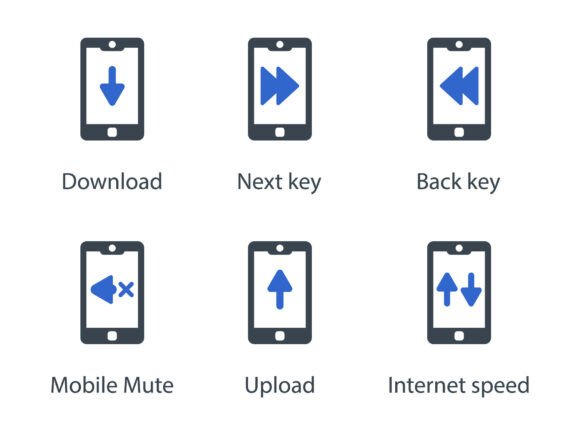
Mobile Function Icon Set 2 is a curated set of icons specifically designed for mobile function-related tasks. Each icon is meticulously crafted to ensure it aligns with modern design standards while maintaining a clean and intuitive look. The set includes essential elements such as Download, Next key, Back key, Mobile Mute, Upload, and Internet speed. These icons are available in multiple formats—EPS, SVG, and PNG—making them versatile for various projects.
The design of each icon emphasizes simplicity and functionality, ensuring that they are easily recognizable across different platforms and screen sizes. This makes Mobile Function Icon Set 2 an ideal choice for professionals who need reliable and consistent visual elements in their work.
Why It Matters for Designers and Developers
Designers and developers often face the challenge of finding icons that match their project's aesthetic while being functional. Mobile Function Icon Set 2 addresses this by offering a cohesive set that maintains visual harmony without sacrificing usability. The icons are scalable, meaning they retain quality whether used in a small app interface or a large digital display.
For web developers, the availability of SVG files ensures that icons remain crisp on high-resolution screens. For print designers, the EPS and PNG formats offer flexibility in embedding graphics into brochures, posters, or other printed materials. This adaptability means that Mobile Function Icon Set 2 can be integrated into nearly any design workflow seamlessly.
Practical Benefits for Different Projects
Consider a scenario where a developer is building a mobile application. Using Mobile Function Icon Set 2, they can quickly incorporate icons for navigation, settings, and data transfer without spending time searching for suitable alternatives. This not only saves time but also ensures a more polished and professional appearance.
Similarly, a marketing team creating a presentation on mobile technology could use these icons to illustrate concepts like internet speed or data upload. The clear and consistent design of the icons helps convey complex ideas in a visually engaging way, making the information more accessible to the audience.
For educators or content creators, the icons can enhance the visual appeal of educational materials or infographics. A teacher explaining mobile phone functions to students might use the Back key or Mobile Mute icons to illustrate basic operations, making the lesson more interactive and easier to understand.
Who Can Benefit Most from Mobile Function Icon Set 2?
Professionals in fields that rely heavily on digital interfaces will find Mobile Function Icon Set 2 particularly useful. Web designers, app developers, and UX/UI specialists can leverage the icons to create more intuitive and user-friendly experiences. Marketers and business owners can use the icons to improve the visual storytelling in their campaigns, making messages more impactful.
Freelancers and small business owners who may not have the budget for custom icon design will appreciate the cost-effective solution that Mobile Function Icon Set 2 provides. It offers a high-quality alternative to generic icons, helping maintain a professional image without the need for extensive design resources.
Enhancing Creativity and Communication
One of the key advantages of Mobile Function Icon Set 2 is its ability to support creativity. By providing a set of icons that are both functional and aesthetically pleasing, it allows designers to focus on the bigger picture rather than getting bogged down by the details of icon creation. This frees up time for more creative tasks, such as developing unique layouts or experimenting with new design concepts.
Additionally, the icons serve as a universal language, making it easier to communicate complex ideas visually. For instance, using the Internet speed icon in a report on network performance can help readers grasp the concept more quickly than a text-based explanation alone. This enhances the overall clarity and impact of the message being conveyed.
Considerations and Limitations
While Mobile Function Icon Set 2 offers many benefits, it’s important to consider the specific needs of your project. If your design requires highly customized icons that reflect a unique brand identity, you may need to explore additional options. However, for most standard applications, the set provides a comprehensive and effective solution.
Users should also evaluate the licensing terms to ensure that the icons can be used in their intended context. Some icon sets may have restrictions on commercial use or require attribution, which could affect how they are incorporated into a project.
Recommendations for Effective Use
To get the most out of Mobile Function Icon Set 2, start by identifying the specific functions or actions your project needs to represent. Once you have a clear understanding of your requirements, select the icons that best match those needs. This approach ensures that the icons are not only visually appealing but also relevant to the content they support.
When using the icons in digital projects, consider adjusting their size and color to fit the overall design scheme. For print materials, test the icons at different scales to ensure they remain legible and effective. By taking these steps, you can maximize the impact of the icons in your work.
Conclusion: A Valuable Addition to Any Designer’s Toolkit
Mobile Function Icon Set 2 is more than just a collection of icons—it’s a practical tool that supports efficiency, creativity, and clarity in design. Whether you’re working on a website, a presentation, or a marketing campaign, these icons provide a reliable and professional solution for visual communication. With their versatility and attention to detail, they are well-suited for a wide range of applications and audiences.
By incorporating Mobile Function Icon Set 2 into your workflow, you can streamline your design process and enhance the overall quality of your projects. It’s a resource that delivers real value, helping you achieve better results with less effort.